Docs/ICT/Computer Systems/Types and Components of Computer Systems
Types and Components of Computer Systems
Computer Components and Computer System
1.1. Hardware & Software
Hardware
the electronic, physical components that make up a typical computer system. These may include input and output devices as well.
Internal Hardware Devices
Central processing unit
Processor
Motherboard
Internal memory consisting of RAM & ROM
Graphics & Sound Cards
Internal Storage devices like Hard disk drives (HDD)
and solid-state drives (SSD)
Network interface card (NIC)
External Hardware Devices
Monitor
Keyboard
Mouse
Printer
External Storage Devices
Software
The techniques, methods, commands, and instructions tell the device what to do and how to do it.
They are the programs which control the computer system and process data.
Relates to ideas & instructions for using physical objects.
Two Types of Software
Application software
Provides services that allow the user to do specific tasks.
It can be general-purpose software or custom-made software. (Specialist software)
E.g., Spreadsheets, databases, and word processors.
System software
The software is designed to provide a platform all other software can run. For example:
1. Compilers: The software translates the High-level language into Machine code (Language Processor).
2. Linkers: A Software that creates the links between Language processors into workable solutions (Data definition language).
3. Device drivers: A software that enables the device to work with another, externally connected device.
4. Utilities: A system software that provides the necessary facilities (Antivirus, Scan Disk, Disk Defragmentation, etc.)
5. Operating systems: To enable computer systems to function and allow users to communicate with computer systems, special software, known as operating systems (OS), have been developed.
Analogue and Digital Data
Computers can only understand data in the form of binary digits (0,1); this is commonly known as digital data. However, data in the real world is analogue, not limited to two specific values.
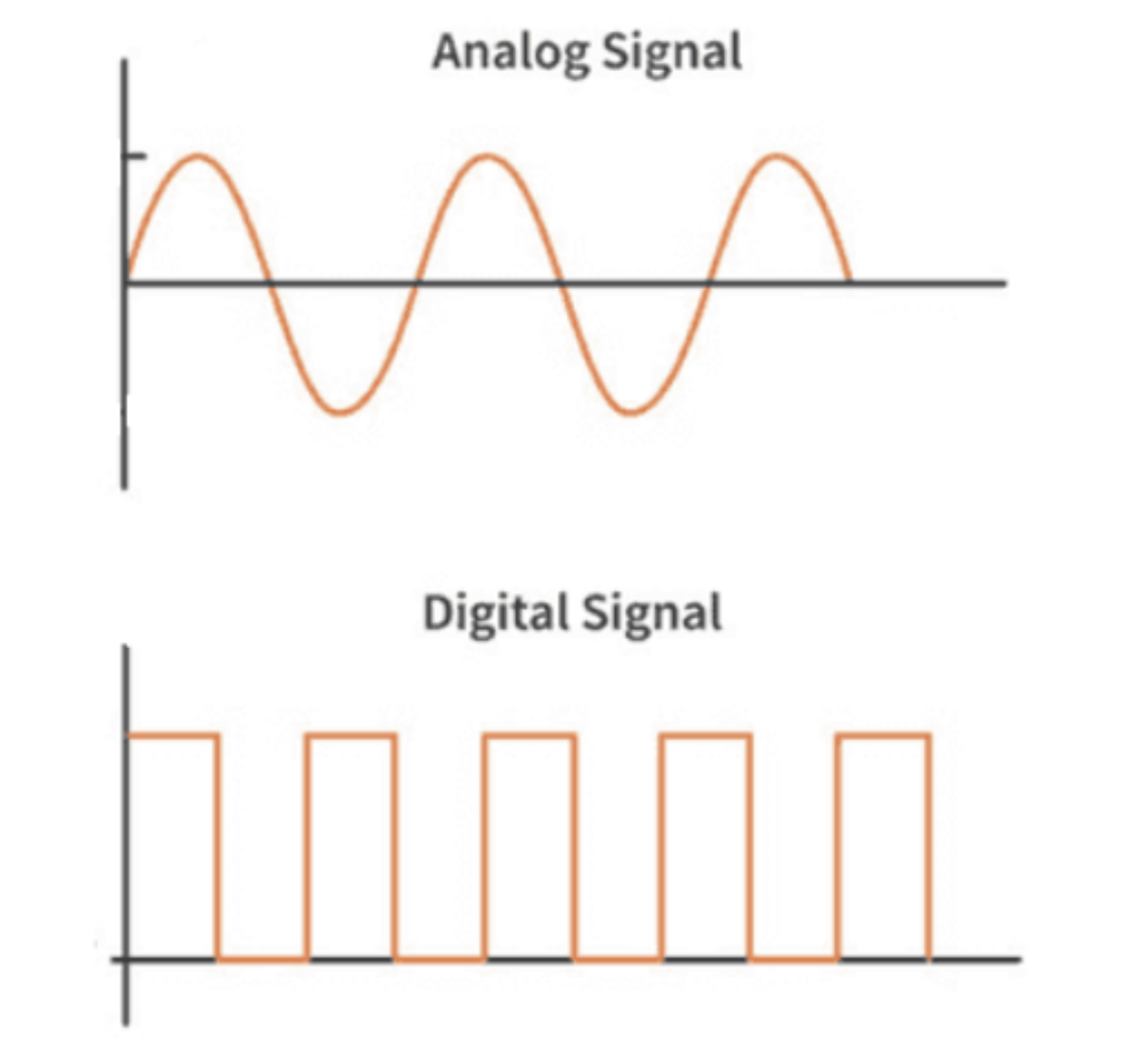
The figures show how data changes in analogue and digital forms; analogue data forms smooth curves, whereas digital data changes in discrete steps. So, for a computer to process real-world data, it first needs to convert the received data into digital form. This is done by hardware known as ADC (analogue to digital converter), and its output is given back in analogue form using DAC (digital to analogue converter).
Independent revision notes and learning resources for Cambridge IGCSE and Pearson Edexcel International GCSE.
Cambridge IGCSE is a registered trademark of Cambridge Assessment International Education, and Pearson Edexcel International GCSE is a registered trademark of Pearson Education Limited. This platform is not affiliated with or endorsed by Cambridge Assessment International Education or Pearson Edexcel.
© 2026 IGCSE Notes. All rights reserved.